Intent Alerts Are Not the Problem. Your Routing Rules Are.
Turning on intent alerts before you have settled ownership just gives you a noisy Slack channel nobody acts on. This post walks through the five things you need to lock down before any alert goes live, in the order that actually matters.

Turned on IP reveal alerts in Slack and now nobody knows who owns the lead. Sound familiar?
I have watched this happen at three different companies in the last year. Someone buys an intent data tool, gets excited about the demo, wires the Slack integration in an afternoon, and by week two the channel is a graveyard of notifications nobody reads. Not because the data is bad. Because nobody decided who is supposed to do anything with it.
The tool vendors will not tell you this because it is not their problem to solve. Your ownership model, your routing logic, your follow-up expectations, none of that ships in the box. You have to build it yourself, before you flip the switch, not after.
Ownership Has to Be Settled Before the Alert Fires
Here is the pattern I see constantly: a company has three or four AEs covering overlapping territories, or worse, no territory model at all, just a pool of reps who grab leads as they come in. Then intent data starts flagging accounts, and now you have five people seeing the same Slack ping wondering if it is theirs to work.
One account, one owner, no ties. That is the whole rule. If your CRM cannot answer instantly who owns a given account, an intent alert will not fix that, it will just expose it faster and louder.
I worked with a 40-person B2B SaaS company last year that had this exact issue. Two AEs were both reaching out to the same mid-market account within an hour of each other because the account had no assigned owner in HubSpot, just a lifecycle stage. The prospect noticed. That is the real cost of skipping this step, not wasted Slack scroll time, actual damage to how you look to the buyer.
Fix the ownership model in your CRM first. Round robin is fine as a fallback for net-new, but every active account needs a single named owner before intent signals start pointing at it.
Not Every Page View Deserves a Notification
Most intent tools default to alerting on almost anything, a pricing page visit, three sessions in a week, a job posting view. If you leave the thresholds at default settings, you will generate ten notifications a day per rep and exactly zero of them will feel urgent enough to act on.
Decide what actually predicts buying intent for your business specifically. For one client selling a mid-five-figure ops platform, we found that a single pricing page visit meant almost nothing, but three or more visits from the same account within 72 hours, combined with any contact opening a sales email, was a real signal. We set the alert threshold there and cut notification volume by roughly 70 percent. The alerts that remained actually got worked because reps trusted them.
Whatever your threshold ends up being, write it down and revisit it quarterly. Buying behavior changes as your ICP shifts, and a threshold that made sense at $2M ARR might be noise at $10M ARR.
Alerts Need to Route to a Person, Not a Channel
This is the part almost everyone gets backwards. Broadcasting an alert to a shared Slack channel and hoping the right rep claims it is not routing, it is a hall pass for nobody to act. I have sat in client CRMs at 6pm untangling exactly this, dozens of unclaimed alerts sitting in a general channel because the assumption was someone would just know it was theirs.
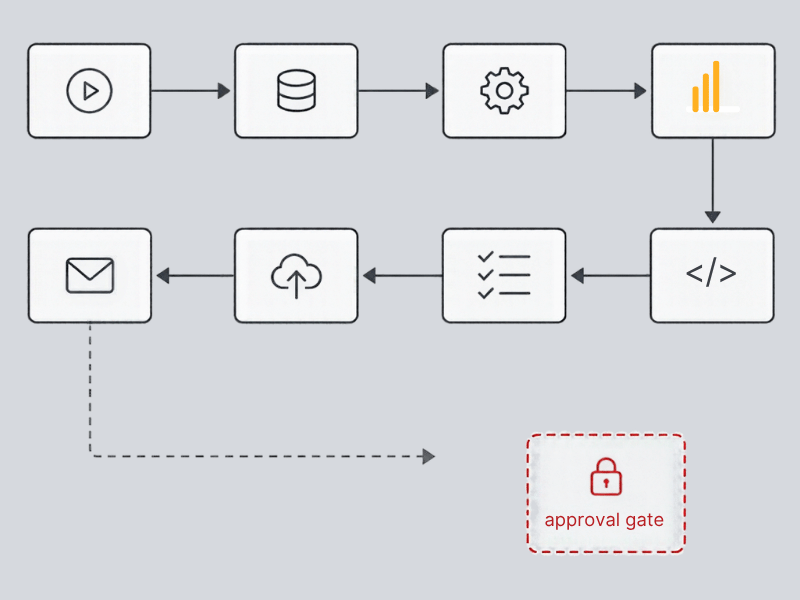
The fix is mechanical, not cultural. If your CRM has the ownership field populated correctly (see above), you can route the alert directly to that owner, either as a DM, a task in the CRM, or both. Tools like HubSpot workflows, or a simple n8n automation pulling from your intent data API, can match the account to the owner field and push a targeted notification instead of a broadcast. It takes maybe two hours to build once ownership is clean. Skipping it costs you months of ignored alerts.
One manufacturing distributor I worked with had this backwards for over a year. They were paying for an intent tool that fired into a channel with 12 people in it. When we finally checked usage data, less than 15 percent of flagged accounts had any logged follow-up activity within a week. The tool was not underperforming, it was just never routed to anyone accountable.
Set a Follow-Up SLA or the Alert Is Just a Timestamp
An alert with no deadline is a suggestion, and reps will treat it that way. Define how fast someone has to act once an alert fires, whether that is a call within four hours or a personalized email by end of day. Put it in writing, put it in your sales process documentation, and check it monthly.
And suppress alerts for accounts already in active deals. Nothing erodes trust in the system faster than a rep getting pinged about intent signals on an account they are already three calls deep into. It signals the tool does not know what your pipeline looks like, which makes people stop trusting every other alert it sends too.
The Order Matters More Than the Tool
Most teams buy the intent data tool first and have the ownership conversation never. That is backwards. Ownership, thresholds, routing logic, SLA, and suppression rules all need to exist before the first alert fires, not as a cleanup project six months later when the Slack channel is already dead to everyone.
If you are staring at a channel full of unclaimed intent alerts right now, you do not have a data problem. You have a routing problem wearing a data costume. Fixing it is not complicated, but it does require someone to sit down and actually define the rules instead of assuming the tool will figure it out.
If this sounds like your current setup and you want a second set of eyes on it, that is exactly the kind of mess LangLine Consulting gets called in to fix. Reach out and we can walk through what your routing logic should actually look like.