Everyone Shows You the Workflow Diagram. Nobody Shows You the Approval Step.
Lean B2B teams are wiring up n8n, Claude, and Apollo for research and outreach automation, but almost none of them build a review checkpoint before bad data hits the CRM. This post breaks down where that gate needs to live and what happens when it does not exist.
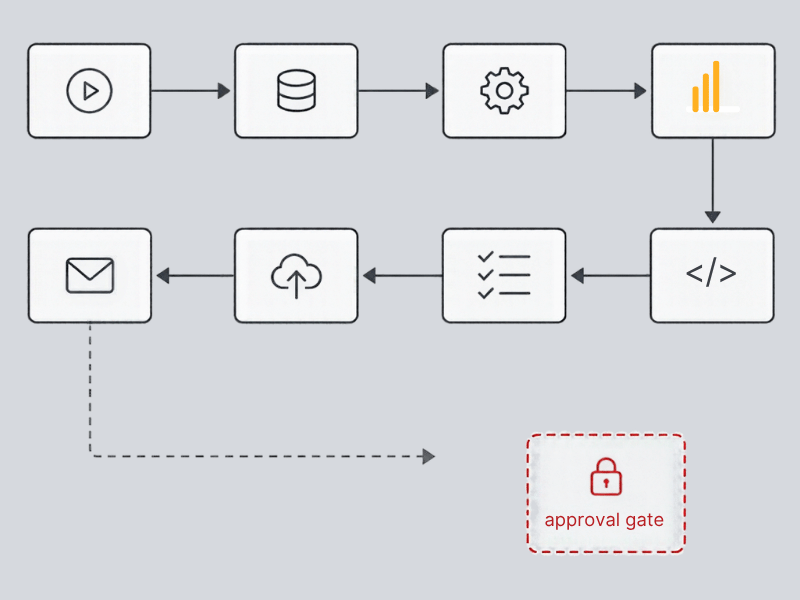
Everyone wants to show you the workflow diagram. Boxes, arrows, a trigger firing off a clean chain of logic that ends with a perfectly enriched record landing in the CRM. It looks great in a Loom video. Nobody wants to show you the approval step, mostly because most builds do not have one.
I have reviewed a lot of these stacks over the past year. n8n wired to Claude for research and summarization, Apollo for enrichment and contact data, Supabase or the CRM itself as the destination. The architecture is usually fine. The problem is never the tools. The problem is what happens between the AI generating an output and that output becoming a permanent record in a system your sales team trusts.
The Gate Nobody Builds Because It Slows the Demo Down
Here is what I mean by a gate. Before an enriched field overwrites a real one, before Claude's summary gets written into a deal note, before Apollo's firmographic data replaces what a rep manually entered three weeks ago, something has to check it. A human, a validation rule, a confidence threshold, something.
Most builds skip this because it is the least impressive part of the workflow. It does not photograph well. A founder building this stack on a weekend wants to see the automation run end to end without stopping. Getting from trigger to CRM update in one pass feels like the win. But that pass-through is exactly where the risk lives.
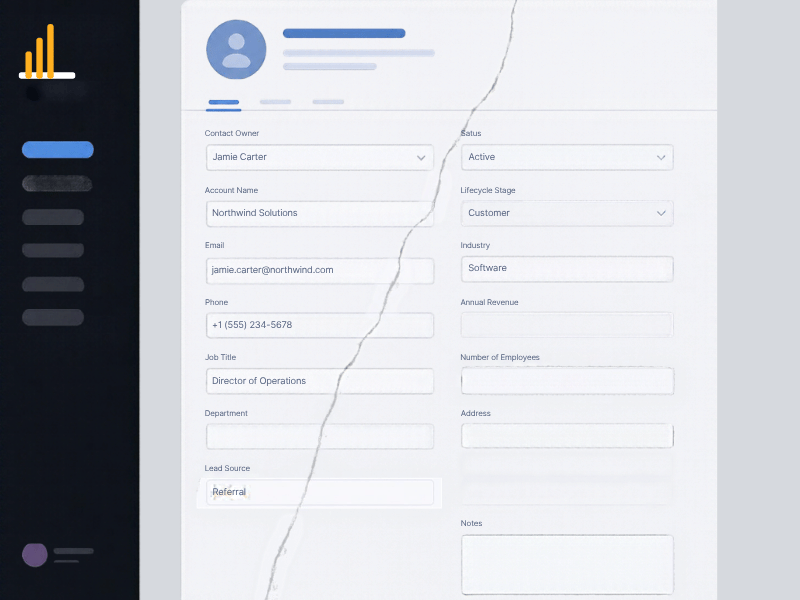
I worked with a company running an n8n workflow that pulled Apollo data on inbound leads and used Claude to draft a company summary for the account record. It ran clean for six weeks. Then Apollo returned a stale headcount figure for a company that had just done a layoff, Claude summarized it confidently, and that number flowed straight into the CRM and into a lead scoring model that weighted company size. Forty one accounts got misscored before anyone noticed the pattern. Nobody caught it at the time because nothing was designed to catch it. The workflow did exactly what it was built to do, which was the problem.
Why a Bad Output Never Happens Just Once
This is the part that gets missed. In a manual process, a bad data entry is a one-off mistake. Someone typos a field, someone misreads a note, it gets caught in a QBR or a deal review and fixed.
In an automated pipeline, a bad output is not a one-off. It is a pattern. If Claude misinterprets a prompt structure for a certain type of company, or Apollo's enrichment consistently mismatches a specific data field for a segment of accounts, that error fires every single time the trigger runs. It is not one bad record, it is every record that matches that condition going forward.
I have seen this play out as a slow bleed in pipeline reporting. A client's forecast numbers looked off by about 12 percent for two reporting cycles. Nobody could explain it. It took a full data audit to trace it back to an automation that was auto-updating deal stage based on an email reply classification from Claude. The classification logic was slightly too aggressive on ambiguous replies, so deals were getting bumped forward a stage when they should not have been. Two months of forecast conversations happened on numbers nobody would have trusted if they had known where they came from.
That is the real cost. Not one bad record. Weeks of decisions made on data nobody validated, because the automation was invisible and running was mistaken for working.
Where the Approval Step Actually Belongs in the Workflow
This is not an argument against automation. It is an argument against automation with no checkpoint. There are three places I tell clients to build the gate, and which one you use depends on the risk level of the field being touched.
For high-risk fields, anything tied to forecasting, deal stage, or lead scoring, the gate should be a human approval step inside n8n itself. A Slack or email notification with the proposed change, approve or reject, before it writes to the CRM. This adds maybe thirty seconds of friction per record. That friction is the point.
For medium-risk fields, like firmographic enrichment or contact title updates, a validation node that checks the new value against the existing one and only writes if the delta is within a reasonable range. If Apollo returns a headcount that is 300 percent off the last known value, that should route to review instead of auto-writing.
For everything, regardless of risk level, there needs to be a log. Not a vague audit trail, an actual record of what field changed, what the old value was, what the new value is, which workflow triggered it, and a timestamp. When something looks wrong in a pipeline report six weeks from now, you need to be able to trace it back in minutes, not spend three days pulling CRM history and cross-referencing it against workflow runs.
None of this is complicated to build. It adds maybe a day of setup time to a workflow that otherwise takes an afternoon. The reason it gets skipped is not technical difficulty, it is that approval steps do not demo well and everyone is in a hurry to show the automation working end to end.
Build the Gate Before You Build the Automation
If you are standing up one of these stacks right now, the question is not whether n8n, Claude, and Apollo can talk to each other. They can, that part is solved. The question is where your approval step lives, in the actual workflow, not in a policy document nobody reads.
If you cannot point to the exact node in your n8n workflow where a human or a validation rule stops a bad output before it hits the CRM, you do not have an automation, you have a fast way to make the same mistake at scale.
We help lean B2B teams build these stacks with the gate in the right place from day one, not bolted on after the pipeline reports stop making sense. If you are building one of these or already running one without a clear answer to where the checkpoint is, get in touch with LangLine Consulting and we will walk through it.